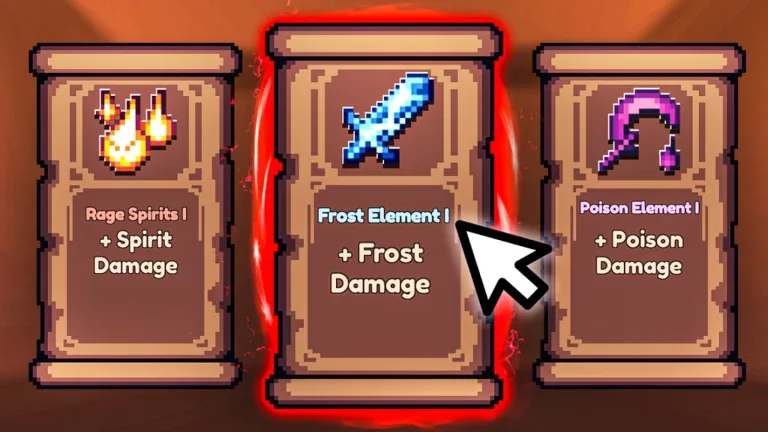
Pixel Blade Enchantments Guide: How to Use Books for Buffs and Nerfs
Master the Pixel Blade enchantment system by using Books to gain powerful character and weapon buffs. Learn how to farm pages and optimize your upgrades.
Published: Pixel Blade Wiki Editorial Team
Video Guide
ALL Fishing and Enchantment Secrets in Pixel BladeTable of Contents
Understanding the Enchantment System in Pixel Blade
In Pixel Blade, the enchantment system centers around the use of "Books." Unlike traditional RPG systems where you might simply imbue an item with magical properties, these books function as a strategic trade-off mechanic. Every book provides a specific, powerful buff to your character's capabilities or your weapon's performance, but this comes at the cost of a corresponding nerf.
To get started, you must head to the Fishing Island. The primary currency for these upgrades is "pages," which you obtain through the fishing activity. Once you have accumulated 8 pages, you can exchange them for a book enchantment. It is crucial to understand that these upgrades are not just simple power boosts; they require careful balancing, as the negative effects (nerfs) scale alongside the positive effects (buffs) as you increase the book's level.
How to Obtain and Apply Books
The process of enhancing your gear is straightforward but requires consistent effort in the fishing mini-game.
Travel to Fishing Island: Locate the fishing area within the game world.
Farm Pages: Cast your line until you have collected at least 8 pages.
Access the Upgrade System: Visit the relevant NPC or interface designated for book enchantments.
Apply the Enchantment: Use your 8 pages to craft the desired book. Be mindful of the specific buff and nerf listed, as these will permanently alter your stats until the book is removed or replaced.
Remember that according to community reports, the fishing rod you choose can impact your efficiency. While basic rods are sufficient for starters, advanced rods (such as the Epic Fishing Rod obtained via the "Void Master" achievement) offer superior stats and luck modifiers that can speed up your page farming process significantly.
Armor Books: Strategic Buffs and Trade-offs
Armor books are designed to modify your character’s movement, survivability, and utility. Because these books can drastically change your playstyle, it is important to match them with your current armor set.
Wings (Max Level: I)
Provides a permanent double jump. This can stack with existing gear (like Raven's Shadow Boots) to enable a triple jump.
Nerf: Reduces max stamina by 20%.
Berserk (Max Level: II)
Deals increased damage as your health drops (up to 100% multiplier per level).
Nerf: Increases ability cooldowns by 15% per level.
Greed (Max Level: III)
Increases your loot pull by 1 per level, making it essential for farming runs.
Nerf: Reduces your total health by 20% per level.
Resistance (Max Level: IV)
Grants a passive, regenerating 15% shield per level.
Nerf: Increases dash regeneration time by 20% per level.
Weapon Books: Combat Optimization
Weapon books focus on direct combat performance, affecting your attack speed, damage output, and special move efficiency. These should be chosen based on your weapon type and preferred combat strategy.
Smite (Max Level: I)
Adds a 20% chance on melee hits to stun and damage enemies.
Nerf: Reduces movement speed by 10%.
Wind Gust (Max Level: II)
Creates a small wind gust upon swinging that pulls enemies toward you.
Nerf: Decreases base damage by 15% per level.
Overhead (Max Level: IV)
Increases damage by 20% per level while you are airborne.
Nerf: Decreases damage by 10% per level while you are on the ground.
Aerodynamic (Max Level: IV)
Provides a damage boost that scales with your movement speed.
Nerf: Reduces your total health by 20% per level.
Tips for Effective Enchanting
When deciding which books to equip, consider the current meta and your specific role. If you are a high-damage dealer, the "Aerodynamic" book can be incredibly potent, but you must be prepared to manage the significant health reduction. Conversely, for players focusing on survival, "Resistance" is a top-tier choice.
Tip
Always check the Roman numeral level of your book. If you are pushing a book to its maximum level, ensure that your build can handle the intensified nerf. For example, if you use "Greed" to farm items, avoid high-difficulty boss fights where the 20% health reduction per level could lead to instant defeat.
Frequently Asked Questions
Can I stack different books?
Yes, you can equip various books to customize your character, but always calculate the cumulative effect of the nerfs. Stacking too many health-reducing books can make you extremely vulnerable.
Do book buffs apply to teammates?
While some game mechanics in Pixel Blade share loot with teammates, enchantment buffs are generally personal. Always verify if your specific book has a "teammate" effect, such as the "Nature" book which heals nearby allies.
What happens if I don't have enough materials?
If you lack the materials for high-tier rods, focus on the "Void Master" achievement to obtain the Epic Fishing Rod. This will help you farm pages more efficiently, allowing you to craft your desired books faster.